A Developer's Guide to Interactive Voice Response Systems
Let's be honest, when you hear "IVR," you probably think of a robotic voice trapping you in a circular phone menu. "Press one for sales. Press two for support." We've all been there, frantically mashing the zero key, just trying to reach a human.
That's the legacy system. The real story is how Interactive Voice Response has quietly transformed from clunky, touch-tone mazes into a programmable, API-driven channel for AI.
From Robotic Menus to Conversational AI
At its core, IVR was born to deflect calls and reduce agent headcount. First-generation systems were built on Dual-Tone Multi-Frequency (DTMF) signals—the beeps your phone makes when you press a key.
These early systems were engineered for cost-cutting, not developer experience or customer satisfaction. They forced callers down rigid, branching paths that felt impersonal and unforgiving. This created massive friction and gave IVR its bad reputation.
The Shift to Natural Language Processing
The sheer frustration with DTMF systems created an opening for something better. The first step forward was basic speech recognition, letting you say "Billing" instead of hunting for the right number. A marginal improvement, but the real breakthrough came with modern AI, Natural Language Processing (NLP), and sophisticated RAG pipelines.
Today's IVR is a different beast entirely. It can:
- Understand intent. It doesn't just listen for keywords; it uses an NLU model to figure out what a developer or user is trying to accomplish.
- Maintain context. It can ask clarifying questions and remember what you said two minutes ago.
- Execute actions. Through API integrations, it can check order status, authenticate a user, or fetch account data in real time.
The big shift is from a system that shoehorns you into its pre-set options to one that adapts to you. It's less like a flowchart and more like a headless, conversational AI.
You can see this playing out in the numbers. The global IVR market, valued at USD 5.34 billion in 2024, is expected to more than double to USD 11.53 billion by 2037. And while old-school touch-tone systems still make up a surprising 58% of revenue, a massive 66% of customers now say they prefer talking to a natural language system. The trend is crystal clear. You can dig into more of the IVR market growth and trends data here.
This table breaks down the fundamental differences between legacy and modern IVR infrastructure.
Legacy DTMF IVR Versus Modern Conversational IVR
| Feature | Legacy DTMF IVR | Modern Conversational IVR | | :--- | :--- | :--- | | User Input | Keypad presses (DTMF tones) | Natural language voice commands | | Interaction Style | Rigid, menu-driven trees | Fluid, multi-turn dialogue | | Intelligence | Pre-scripted logic; no learning | Headless AI with RAG pipeline and Vector Search | | Personalisation | Generic, one-size-fits-all flows | Dynamic, based on user data and history | | Integration | Limited, often isolated systems | Deep API-driven connections to other services | | User Experience | Often frustrating and impersonal | Intuitive, efficient, and helpful |
The takeaway for developers is simple: IVR is no longer a closed-off, proprietary box. It's an open, programmable channel. You can now decouple the voice interface from the business logic, allowing you to build incredibly sophisticated experiences without the bloatware.
Instead of being trapped by a vendor's limited toolset, you can connect your IVR to a headless, AI-native infrastructure like EchoSDK. This lets you bring powerful RAG pipelines, Vector Search, and models like Gemini 1.5 Flash right into your voice channel, finally delivering on the original promise of instant, intelligent, and genuinely helpful automated support.
The Core Architecture Of A Modern IVR System
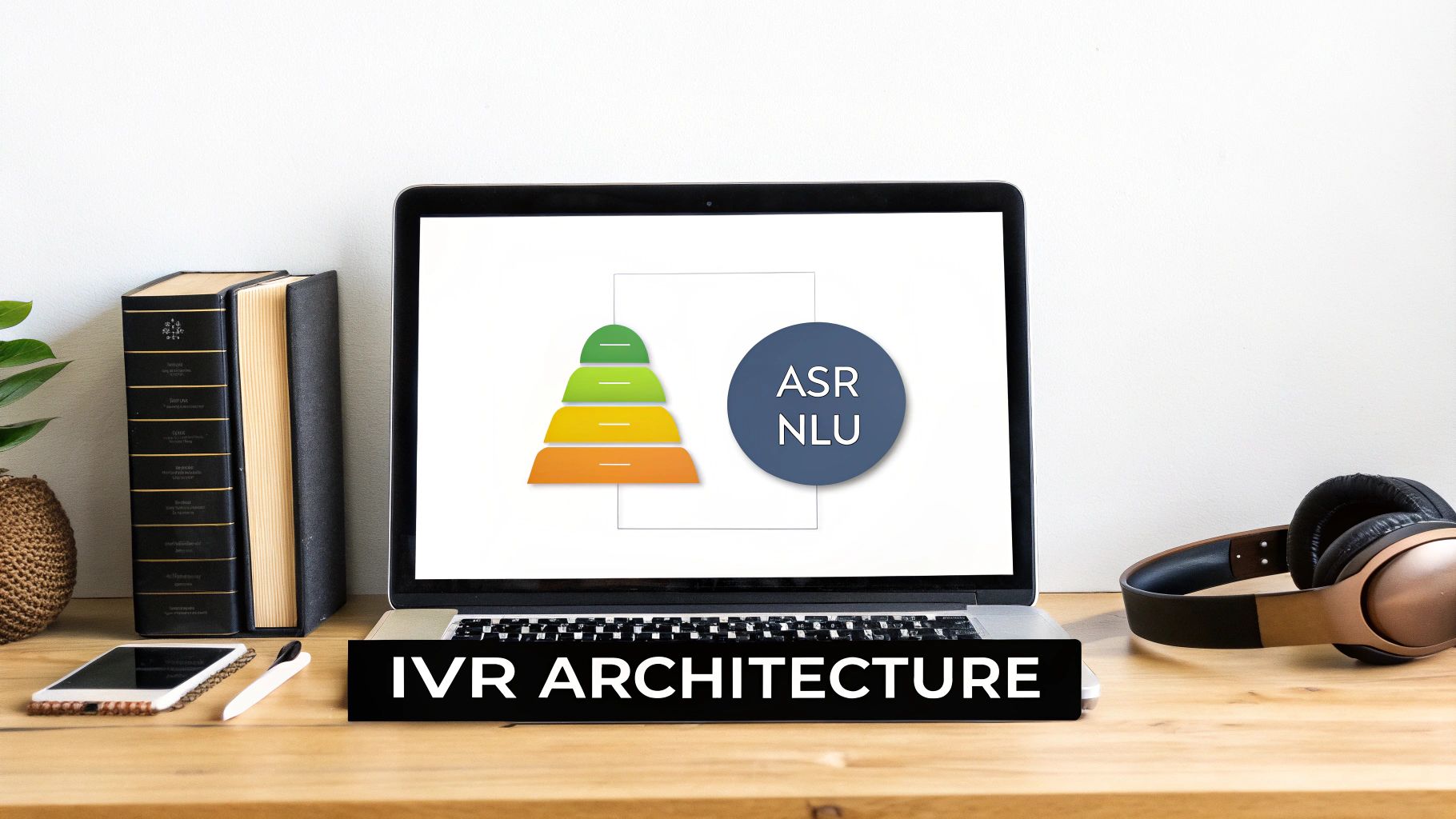
To a developer, an IVR isn't a monolithic black box. It's a distributed stack of services, and each one has a specific job. Once you understand this architecture, you see exactly where you can inject custom logic, plug into external APIs, and build intelligent voice applications.
Think of it as a series of distinct layers. Each layer takes data from the one before it, processes it, and passes it along—much like a modern microservices setup.
The Telephony and Voice Interface Layer
This is the system's front door. It’s the bridge between the public telephone network and your digital application, responsible for handling the raw audio connection.
Key components include:
- Telephony Interface: This handles the low-level connection via the Public Switched Telephone Network (PSTN) or Voice over IP (VoIP). It establishes the call, manages the audio stream, and terminates the connection.
- Voice User Interface (VUI): This is the "frontend" of your IVR. Its job is to play pre-recorded prompts and capture the caller's speech. The VUI deals with the turn-by-turn flow of audio without understanding its meaning.
Separating these two is critical for a headless architecture. It means your core application logic doesn't have to care who your telephony provider is. You can swap out your VoIP service without rewriting your entire call flow.
The AI-Powered Interpretation Engine
Once the VUI captures the caller's speech, the raw audio is passed to the AI engine. This is the brain of a modern IVR, where it turns a fuzzy stream of sound into structured, actionable data.
First, Automatic Speech Recognition (ASR) transcribes the audio into plain text. The accuracy of your ASR model is a massive factor in the system's overall performance.
Next, Natural Language Understanding (NLU) takes that text and determines its meaning. This is more than keyword matching. The NLU's job is to pinpoint the caller's intent (what they want to do) and extract any entities (specific data like an order number or a date).
For example, a caller says, "I need to check the status of my order, number 12345." The ASR transcribes this. The NLU identifies the intent as
check_order_statusand extracts the entityorder_numberwith the value12345.
Application Logic and Data Integration
With a clear intent and extracted entities, the system hands this structured data to the Application Logic layer. This is your IVR's "backend," where your unique business rules and API calls reside.
This is where developers have the most control. It's responsible for:
- Executing your defined call flow logic.
- Making API calls to other systems (your CRM, a database, or a headless helpdesk like EchoSDK).
- Fetching or updating customer data.
- Formulating the correct response to send back to the user.
Finally, the text response is sent to a Text-to-Speech (TTS) engine, which creates a natural-sounding voice. The VUI then plays this back to the caller, completing the conversational loop. This modular design allows you to upgrade or replace each component independently, giving you maximum architectural flexibility.
Designing Effective IVR Call Flows And User Experiences

A great interactive voice response system feels like an efficient, helpful conversation, not an interrogation. While the architecture provides the technical plumbing, it’s the call flow that shapes the user experience. A good flow delivers answers fast. A bad one creates the maddening, circular frustration associated with legacy IVR.
The goal is always resolution efficiency. It's about designing a journey that feels natural and respects the caller's time.
Crafting Concise and Actionable Prompts
The foundation of a good IVR experience is clarity. Voice prompts must be short, direct, and use simple language—no internal jargon.
A critical feature is barge-in capability. This lets experienced callers who know the options interrupt the prompt by speaking or pressing a key. Forcing a repeat customer to listen to the entire menu every time is a surefire way to increase hang-ups.
Intelligent Error Handling and Fallbacks
Even the smartest AI will occasionally misunderstand a request. How the system recovers from these moments is what separates a helpful tool from a frustrating robot. Instead of a dead-end "I'm sorry, I didn't understand," a well-designed system offers a path forward.
Consider these strategies:
- Re-prompt with context: If it fails once, it should rephrase the question. For instance, "I didn't quite catch that. Were you asking about your order status, or trying to make a return?"
- Limit attempts: After two failed attempts, the system should escalate the call. This prevents users from getting stuck in a loop.
- Confirm critical input: When dealing with account numbers or payment details, the IVR should always repeat the information back for confirmation before proceeding.
The core design philosophy should be: never trap the user. Every path, especially an error path, must have a clear exit that leads to a resolution—even if that resolution is a human. This is the single most important rule for building a system that feels helpful instead of obstructive.
A Frictionless Escalation Path to Human Agents
The most common failure point for any IVR is the handoff to a human. Most systems treat this as an afterthought, dumping the caller into a generic queue where they have to start from scratch.
This is where a headless helpdesk infrastructure like EchoSDK completely changes the game. By decoupling the IVR from a traditional, seat-based helpdesk, you can build a far smarter and more seamless escalation. The handoff stops being a dead end and becomes an integrated step in the workflow.
When the IVR determines a human is needed, it first triages the issue, gathers context, and authenticates the user. Then, via an API call, it passes that entire package of structured data directly into a developer's existing tools, like a dedicated Slack channel. An agent immediately sees the user’s name, the transcribed query, and the exact steps they took in the IVR, enabling them to jump in with full context.
This turns a cold transfer into a warm handoff. The customer doesn't have to repeat themselves, and resolution times drop dramatically. It’s the perfect example of what happens when you treat an interactive voice response system like a programmable frontend instead of a monolithic silo.
How To Connect Your IVR to a Headless Helpdesk

In a modern support stack, your IVR should just be a channel, not a silo. Traditional IVRs are walled gardens, completely cut off from the intelligence powering your other support tools. This forces developers to maintain separate logic for voice, creating a disjointed user experience.
The fix is architectural: decouple the voice interface from its "brain."
By treating the IVR as an intelligent frontend, you can connect it via API to a powerful, centralized backend. This "headless" approach turns a simple call-routing machine into a dynamic conversational interface. It allows your voice channel to tap into the exact same AI and knowledge base that fuels your web and in-app support, offering a genuine Zendesk Alternative for teams that want to build, not just buy.
Why Seat-Based Pricing Kills Margins
The core idea is to separate responsibilities. Let your IVR platform handle what it's good at—telephony, speech-to-text (ASR), and text-to-speech (TTS).
But the heavy lifting—figuring out what the user actually wants and finding the right answer—gets offloaded to a specialized, headless helpdesk. This gives developers incredible freedom from the "Seat Tax" imposed by legacy helpdesks. Instead of being trapped by the limited features of your IVR provider, you can build a system that’s truly best-in-class. You can use a powerful RAG (Retrieval-Augmented Generation) pipeline and fine-tune it anytime you want, all without ever touching your IVR's configuration.
This mirrors how modern apps work: a frontend calls various microservices to get the data it needs. Here, your IVR is the frontend, and your headless infrastructure is the powerful AI microservice.
How It Works: From Voice Query To AI Response
Let’s walk through a real-world example.
-
The Call Starts: A customer calls your support number. The IVR authenticates them and they ask, "What's the return policy for items I bought on sale?"
-
Voice to Text: The IVR’s ASR engine instantly transcribes the question into text. It then bundles this text into a secure API call to a headless system like EchoSDK.
-
The AI Brain Kicks In: The headless system receives the query. Its RAG pipeline, powered by models like Gemini 1.5 Flash and a high-speed vector search, scans all of your private knowledge—docs, past tickets, internal policies—to pinpoint the exact answer.
-
Text to Voice: The RAG pipeline generates a clear, natural-sounding answer and sends it back to the IVR via the API. The IVR’s TTS engine then speaks the answer back to the customer.
The entire process, from spoken question to AI-powered answer, happens in sub-seconds. It’s the result of separating the ‘brain’ from the voice channel, delivering a level of support a classic IVR could never manage on its own.
For developers, the integration is refreshingly simple. It boils down to a single API endpoint. Here's a quick look at how your IVR server might call an EchoSDK endpoint.
// This code would run on your IVR application server

async function getAnswerFromHeadlessAI(transcribedUserQuery, userId) {
  const response = await fetch('https://api.echosdk.com/v1/query', {
    method: 'POST',
    headers: {
      'Authorization': `Bearer YOUR_ECHOSDK_API_KEY`,
      'Content-Type': 'application/json'
    },
    body: JSON.stringify({
      query: transcribedUserQuery,
      user_id: userId // Pass user context for personalised responses
    })
  });

  const data = await response.json();

  // The 'data.answer' text is then sent to your TTS engine
  return data.answer;
}
This simple API call is the bridge. It connects your voice channel to a powerful, central AI, tearing down the old silos and paving the way for a truly unified support experience.
Mind The Bottom Line: IVR Costs & Compliance
Beyond the tech, building an IVR system that works in the real world comes down to two things: cost and compliance. Get these wrong, and your voice channel becomes a financial drain and a security risk. Get them right, and you've built a trustworthy, sustainable asset.
For years, IVR meant significant upfront capex. You had to buy servers, install everything on-premise, and pay for constant maintenance. Modern platforms—often called Communications Platform as a Service (CPaaS)—have shifted this to a pay-as-you-go opex model. But that only solves part of the puzzle. The real hidden cost appears the second an IVR has to escalate to a human.
Ditching The "Seat Tax"
Think about traditional helpdesks like Zendesk or Intercom. Their business model is built on a "per-seat" basis. You pay a monthly fee for every single agent who might need to take a call. This is the "Seat Tax," and it's incredibly inefficient. You're paying for idle capacity.
A headless, developer-first infrastructure flips this on its head. With a tool like EchoSDK, you stop paying for idle agent seats and instead pay for active AI queries on a usage-based model.
The entire financial model changes. You're no longer penalized for having a well-staffed team. You only pay for the computation you actually use, turning a fixed overhead into a tiny, variable cost.
With EchoSDK, the AI backend that first fields the query costs a fraction of a cent—just $0.001 per query. You can handle thousands of automated conversations for less than the cost of one traditional agent seat. You're not just cutting costs; you're making the system smarter with a powerful RAG pipeline. This is the core advantage for teams looking for a modern Intercom Alternative.
Navigating The Compliance Minefield
Handling customer voice data carries serious security responsibilities. An enterprise-grade IVR isn't just about connecting to a voice API; the entire data pipeline has to be secure and auditable.
There are a few non-negotiable compliance frameworks you need to adhere to:
- GDPR (General Data Protection Regulation): If you deal with EU citizens, GDPR is law. It dictates data privacy, consent, and a user's right to be forgotten.
- PCI DSS (Payment Card Industry Data Security Standard): For taking payments over the phone, PCI DSS compliance is mandatory. It requires iron-clad controls for encryption and network security.
- SOC 2 (Service Organization Control 2): For any cloud provider, a SOC 2 certification is the gold standard. It’s an independent audit that proves an organization has the right controls in place to protect customer data.
Choosing a SOC 2 compliant infrastructure like EchoSDK isn't just a nice-to-have; it's the bedrock for earning and keeping your users' trust.
Getting Started With Your First IVR Integration
<iframe width="100%" style="aspect-ratio: 16 / 9;" src="https://www.youtube.com/embed/YGhAvFtdt7E" frameborder="0" allow="autoplay; encrypted-media" allowfullscreen></iframe>Building a prototype interactive voice response system is surprisingly straightforward. Forget clunky telephony hardware and months of development. With modern API-driven tools, you can get a functional, AI-powered system up and running in minutes.
The key is to connect a simple telephony provider to a "headless" AI backend. This lets you focus on the IVR's logic, not the low-level plumbing, proving the concept fast and giving you a solid foundation to build on.
The 5-Minute Setup: Core Components
You only need two things to get started.
First, a CPaaS (Communications Platform as a Service) provider like Twilio or Vonage. They handle the telephony part, giving you a programmable phone number and an engine to turn speech into text.
Second, you need a headless helpdesk like EchoSDK to act as the "brain." When a call comes in, the CPaaS provider simply forwards the transcribed audio to your application, which then pings the headless backend to get the right response.
This clean, modular setup means you can:
- Keep concerns separate: Telephony logic lives in one place, AI and business logic in another.
- Avoid vendor lock-in: Don't like your CPaaS provider? Swap it out without rebuilding your core AI logic.
- Use the best tools for the job: Let telephony experts handle telephony and AI experts handle AI.
Bridging Voice and AI With 3 Lines of Code
Your application code is the glue. It can be a simple server that listens for a webhook from your CPaaS provider. Every time a caller says something, the webhook fires, and your server's only job is to take that text, pass it to your AI brain, and hand the answer back to the CPaaS to be read aloud.
The real power is that you're outsourcing the heavy lifting. Instead of getting tangled up in endless if/else statements, you make a single, secure API call to a service built for complex reasoning.
The modern way to build an interactive voice response system isn't about doing everything yourself. It's about intelligently connecting powerful, specialized APIs to create a seamless conversation with minimal code.
For any developer, plugging in the AI component is a breeze. You just install the SDK and write a few lines to send the query.
The entire flow boils down to three quick steps:
# 1. Install the SDK for your headless infrastructure
npm install @echosdk/node

# 2. Initialize the client in your IVR application server
const echo = new EchoSDK({ apiKey: 'YOUR_API_KEY' });

# 3. Process transcribed user query and get an AI-powered answer
async function getResponse(transcribedText) {
  const response = await echo.query(transcribedText);
  return response.answer; // Send this text to your TTS engine
}
This simple pattern is the heart of a modern IVR. You can layer on more complexity later—like user authentication or database lookups—but this core interaction between the voice channel and the AI brain stays just as clean. Start your free trial to see it in action.
Got Questions About Modern IVR?
As developers explore modern interactive voice response systems, a few common questions arise. The shift from rigid phone trees to flexible, API-driven conversations brings up important architectural considerations.
Can an IVR Really Handle a Proper Back-and-Forth Conversation?
Yes, but only if it's architected correctly. Legacy DTMF systems were stateless. Modern conversational IVRs must be stateful.
When you connect to a headless helpdesk like EchoSDK, the system maintains conversation history. This allows it to ask follow-up questions, understand context, and handle complex problems that require multiple turns. It's the difference between a simple command-line script and an actual dialogue.
How Do I Hook My CRM into This Thing?
Through APIs. The core logic of a modern interactive voice response system is designed to call out to other platforms, whether that's your CRM, an internal database, or your knowledge base.
This enables the IVR to:
- Pull customer data for personalization (e.g., "Hi, Jane, looks like you're calling about order #54321").
- Push updates back to the CRM after the call.
- Create a seamless support experience where your phone system is just another interface to your core business data.
What's the Real Cost Difference Between Traditional and Headless IVR?
It comes down to one thing: eliminating the "Seat Tax." With old-school helpdesk setups, you buy a software license for every agent who might receive a call from the IVR. Those per-seat costs stack up fast, penalizing you for being prepared.
A headless model flips the script. You stop paying for idle agent seats and switch to a usage-based model for the AI infrastructure you actually consume. Your fixed costs plummet by up to 99%.
For example, EchoSDK’s pay-per-query pricing means the AI backend costs just $0.001 per query. You can automate a huge volume of calls for a fraction of what a single traditional agent license costs. It’s a more efficient, scalable way to operate.
How Does a Headless IVR Make a Developer's Life Easier?
Simple: it puts developers back in control with a superior DX. A headless architecture separates the voice frontend from the AI backend. Instead of being stuck inside one vendor’s walled garden, you get to pick the best tools for the job.
You can manage the AI logic—like a RAG pipeline using Gemini 1.5 Flash—with simple API calls and an NPM package. Getting it integrated is ridiculously fast, often just a few lines of code.
# Install the EchoSDK to connect your IVR to a headless AI brain
npm install @echosdk/react
This developer-first approach means you can build, test, and iterate on your IVR’s intelligence on your own terms, without being limited by your telephony provider. Ready to build a smarter IVR without the bloat? View our live demo to see how it works.